Trusted by 55+ churches in 9 countries, with 1,800+ lives impacted
Welcome every visitorin their own language
in their own languageno seu próprio idiomaen su propio idioma각자의 언어로用他们自己的语言dans leur propre langueبلغتهم الخاصةउनकी अपनी भाषा मेंבשפה שלהםїхньою рідною мовоюστη δική τους γλώσσαdalam bahasa mereka sendiriin ihrer eigenen Sprachenella loro linguaそれぞれの言葉でна их родном языкеด้วยภาษาของพวกเขาเองbằng ngôn ngữ của họsa kanilang sariling wika
Let visitors know your church speaks their language. With Faithly, every guest follows the sermon live in their own language, so your doors are always open. Guests scan a QR code. No app, no interpreters, no new equipment.With Faithly, every guest follows the sermon live in their own language, so your doors are always open.
55+ churches in 9 countries welcome their visitors with Faithly. 1,800+ lives impacted so far.
55+
Churches
Using Faithly for their services
9
Countries
Where those churches are
35
Languages used
Chosen by listeners so far
450+
Services translated
Live services with translation
1,000+
Hours of live translation
Since our first service in early 2026
1,800+
Lives impacted
Guests and registered users who followed a service in their own language
Where Faithly is used
Churches and ministries by country
Australia 30Brazil 11United States 8New Zealand 2United Kingdom 2South Korea 1Argentina 1Ireland 1Portugal 1
Languages people listen in
Top 8 of 35, by listeners who joined
English1,352
Portuguese648
Spanish312
Chinese132
Korean96
Arabic80
French40
Japanese17
Plus 27 more.
More than half of listeners choose a language other than English.
What is Faithly?
Faithly is live sermon translation and captions for churches. Visitors scan a QR code on their own phone, choose from up to 73 languages and read or listen to the service as it happens, in their browser, with no app to install. It is free for churches at this stage.
Who is Faithly for?
Churches that welcome visitors and members who speak other languages, and anyone in the room who is deaf, hard of hearing or older and wants live captions in large text. The church needs one device with audio and an internet connection.
Facts at a glance
Languages
60 languages in, up to 73 languages out, 61 with a spoken voice
App
None. It runs in the phone browser.
How to join
Scan a QR code
Accessibility
Live captions in large text for people who are deaf, hard of hearing or older
Price
Free for churches at this stage
Founded
2025, in Sydney, Australia
Last updated
Why churches choose Faithly
Open doors for every visitor.
1
Show that you are multilingual
Put the Faithly QR code on your website, door sign and bulletin. Visitors from any country can see that they are welcome.
2
Keep families together
Parents follow in their first language while their children hear the original. One service instead of two.
3
No interpreters to book
An interpreter covers one language and must be booked every week. Faithly can caption your sermon in up to 73 languages, with several running at once.
4
Easy for your volunteers
If your team can run the slides, they can run Faithly. We set it up with you and stay for your first service.
Ready before Sunday. No new equipment.
How does Faithly work?
01
Connect your audio
Plug a laptop, tablet or phone into the sound desk, or use its microphone. It only needs audio and an internet connection.
02
Share the QR code
Show it on the screens, print it in the bulletin, and add it to your website and door sign. People scan it with their own phone and data, so they do not need your church Wi-Fi.
03
Everyone understands
Each person picks a language, then reads captions or listens to the translation on their own phone.
Accessibility
Faithly is more than translation.
It also helps people who are deaf, hard of hearing or older. Everyone can follow the whole service, at their own pace, on their own phone.
CC
Deaf and hard of hearing
Live captions of everything that is said, in large text that is easy to read. They can follow the whole sermon as it happens.
Aa
Text in the size you need
Make the text bigger or smaller to suit your eyes. Hold the phone as close as you like.
Follow at your own pace
Missed a line? Scroll back to read it again.
Headphones and listening systems
The audio plays on their phone, so they can use headphones. A church can also plug the audio output of a computer or phone into any assistive listening system or transmitter to send it to other devices, and some churches already do.
From the churches
Pastors and members in their own words
It opened the doors for us to welcome people from virtually any nation.Our church used to struggle translating our services for those who don’t speak Portuguese. It now lets us translate in real time to over 70 languages, with more than 60 available for live audio. One of our regular members even mentioned that he can now understand the songs. It opened the doors for us to welcome people from virtually any nation.
SRSaulo RibeiroADD Australia, Kingsgrove
Visitors now follow the service in their own language and feel part of our community.As a pastor, I’ve often had people visiting us from other countries, but the lack of translators made it hard for them to truly engage. Visitors can now follow the service in their own language and feel part of our community. Faithly has been a real blessing for us and for everyone who comes through our doors.
DAPs. Daniel AmaralAD Belém Sydney
I can follow every message in my own language and feel part of the service.Because the sermons were in English, I often struggled to fully understand and felt a bit left out. I asked our church to give Faithly a try, and it’s made such a difference. I can now follow every message in my own language and feel completely part of the service.
ACAna CostaCornerstone Kogarah
These days I even get the singing translated too!Back then, the worship overheads were only in Portuguese, even though I knew I was in a good place. These days I even get the singing translated too! Just don’t expect a CD to come out of it. It’s all spoken, not sung. I also get all the church announcements now.
DSDavid SaarKingsgrove
What you get
Built for a Sunday service, not a conference room.
Many languages at once
Portuguese, Spanish, Mandarin, Korean, Arabic, Tagalog and more. Several languages can run in the same service.
Read or listen
Live captions, or a spoken translation through headphones. People can switch whenever they like.
Join with a QR code
Works in any phone browser. No app, and no account needed for guests.
Prepares with your notes
Upload the sermon outline ahead of time so names, verses and theological terms come out right.
A summary after every service
Hosts get a report with attendance, languages used and a summary of the message, written with Claude.
Your church, your brand
Add your logo and colours, see who is connected in real time, and manage your hosts from one dashboard.
Languages
Which languages does Faithly support?
Your speaker can speak in any of 60 languages. Listeners follow in up to 73 languages: live captions in all of them and a spoken voice in 61.
Captions and spoken voice
Afrikaans
Albanian
Arabic
Azerbaijani
Bangla
Basque
Belarusian
Bosnian
Bulgarian
Catalan
Chinese
Croatian
Czech
Danish
Dutch
English
Estonian
Filipino
Finnish
French
Galician
German
Greek
Gujarati
Hebrew
Hindi
Hungarian
Icelandic
Indonesian
Italian
Japanese
Kannada
Kazakh
Korean
Latvian
Lithuanian
Macedonian
Malay
Malayalam
Marathi
Norwegian
Persian
Polish
Portuguese
Punjabi
Romanian
Russian
Serbian
Slovak
Slovenian
Spanish
Swahili
Swedish
Tamil
Telugu
Thai
Turkish
Ukrainian
Urdu
Vietnamese
Welsh
Captions only
Amharic
Armenian
Georgian
Haitian Creole
Hausa
Irish
Maltese
Mongolian
Pashto
Sinhala
Somali
Uzbek
And there is more
Faithly goes beyond translation.
We have added extra features to make your service even better. Join the beta and we will share what else Faithly can do for your church.
Faithly is free for churches at this stage. Our mission is to put this technology within reach of every church, whatever its size, so we will keep it free or at a reasonable price.
Join the beta and our team will contact you, set up your church, test your sound and stay with you for your first service. No credit card.
It sits next to your sound and streaming setup, so you can start, manage and caption a session without a browser tab, and it can send captions to OBS for your live stream. Only hosts install it.
Faithly was founded in 2025 in Sydney, Australia. Meet the two people who started it.
Matheus Canela
Founder
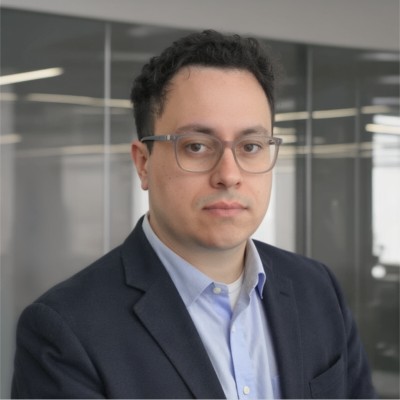
Matheus is the founder of Faithly. He is a senior solutions architect at a major cloud provider in Sydney, with more than seven years of experience helping organisations design and run cloud solutions. Earlier in his career he built transport and driver-management systems. He started Faithly in 2025 so that every person in the room can follow the message in their own language.
Daniel is a co-founder of Faithly and a postdoctoral research associate at a university in Sydney, where he works on vibration and acoustics. At Faithly he helps make live translation clear and accessible for every congregation.
Join the beta. We will contact your church, set it up with you and stay for your first service.
What do we need to run Faithly in our church?
One laptop, tablet or phone that receives your service audio, and an internet connection. The host opens Faithly in a web browser, picks the audio input and presses Start. There are no servers or hardware to install, and a desktop app is optional.
Can we connect Faithly to our sound desk, or only use a microphone?
Either. The host chooses any audio input the computer or browser lists, such as a microphone or a feed from the sound desk. For a stereo interface the host can use both channels mixed, or only the left or right one. A direct desk feed gives the cleanest result.
How do people join: QR code, link or code?
All three. People scan the session QR code, open the shared link, or type the session code on the join page. A church page also lists the church's live sessions. Guests do not need an account.
Which phones and browsers work?
Current browsers on iPhone, Android, tablets and laptops. We test in Chromium, Firefox and Safari, including iOS Safari and Android, and nobody installs an app. Old phones may also work, as we have customers with old browsers and phones.
Do people need to download an app?
No. They scan the QR code, pick a language and start reading or listening in their phone browser. It works on iPhone, Android, tablets and laptops.
Do we need servers or special equipment?
No. Faithly runs in the cloud. The host needs one device with audio and internet, and that is all.
What internet do we need?
Each person uses their own connection, so nobody has to join the church Wi-Fi. It uses much less data than a video stream, but the host connection needs to be steady.
Languages and accuracy
Which languages does Faithly support?
Your speaker can speak in any of 60 languages. Your visitors can read live captions in up to 73 languages, and 61 of them also have a spoken voice. Several languages can run in the same service.
Can our pastor preach in a language other than English, and change it mid-service?
Yes. The speaker can use any of 60 languages, chosen when the session is created, and the host can change the spoken language during the service.
How do we get names, Bible verses and church terms right?
Upload your sermon notes or outline before the service. Hosts can attach a document (PDF, Word, text, Markdown, HTML or image, up to 750 KB), add a list of terms, and add fixed translations for names.
How accurate is it with theological language?
Very good for spoken content like sermons, prayers and announcements. Hosts can upload notes before the service so names, verses and terms come out right. Songs are harder, but the system is still able to translate most of them.
Can Faithly translate songs and hymns?
Often, but speech works best. In our tests Faithly translates music most of the time, although it was not designed for it.
Which languages are captions only, and can each person choose their own voice?
Captions come in up to 73 languages and a spoken voice in 61. The rest are captions only, such as Amharic, Georgian, Mongolian and Somali. Where a voice exists, each listener previews and picks one, and can switch language at any time.
How do you handle music and background noise?
In our tests the AI is pretty good at separating music from noise, and it even translates music most of the time, although it was not designed for it. Spoken content such as sermons, prayers and announcements still works best. A direct feed from the sound desk always gives the best result.
Accessibility
Does it help people who are deaf, hard of hearing or older?
Yes. Anyone can turn on live captions in large text, in the language being spoken or in another one. People can also listen through their phone with headphones, and a church can send the audio to an assistive listening system.
How large can the captions be?
Viewers pick from eight text sizes, up to 32 px, and the app layout follows the phone's text-size setting up to 200%. Full-screen and TV views have their own size, with Dark, Light and a high-contrast Projector theme.
Can people who use hearing aids listen to the service?
Captions are the dependable choice. The audio can go to headphones, and a church can plug the audio output of a computer or phone into any assistive listening system or transmitter to send it to other devices. Some churches already do this. Try it with your own equipment before the service.
Screens, live stream and troubleshooting
Can we show the captions on a screen or projector in the church?
Yes. Open the host's big-screen page on the projector computer, or put a viewer into full-screen TV mode. You can set the caption size, the number of lines, and a Dark, Light or Projector theme.
Our service is also on YouTube or Facebook. Can online viewers follow the translation in sync?
Yes. YouTube, Facebook and other streaming platforms delay the video (the stream buffer), so captions and audio would arrive ahead of it. Online viewers open the same Faithly link on their own device and can delay captions and audio by 0, 3, 5, 10, 15 or 20 seconds to match the video. To put the captions inside your live stream itself, Faithly supports OBS through the app, so you can add them to your live stream.
Can we use Faithly captions with OBS for our live stream?
Yes. The Faithly desktop app can send live captions to OBS as a browser source, so you can add them to your live stream, with their own size, lines and position.
How long is the delay?
Captions follow the speaker about a second or two behind. The host can tune the speed, and online viewers can add a delay to match a video stream.
Cost and beta
How much does it cost?
It is free at this stage. Our mission is to make this technology available to every church, whatever its size, so we will keep it free or at a reasonable price.
Is Faithly really free, and do we need a credit card?
Yes, it is free during the beta, and no credit card is needed. Join the beta and the team sets up your church and stays for your first service.
Privacy and your congregation
Do you record our service, and what do you store?
Audio from the host's device is sent to speech recognition to create captions. We store the transcripts, translations, translated audio and any documents your church uploads, as our privacy policy describes. We do not use your data to train AI models.
Is our congregation's data sold or used to train AI?
No. We do not sell personal information or use it for advertising. Service content is processed only to deliver Faithly and is not used to train AI models.